
Turn WhatsApp screenshots into things you can find later
You screenshot a chat to remember what was said, a link that was sent, or a plan that was made. omemo makes it easy to search and retrieve.

Discussion about app naming and schedule
Oh really?
:))
I just said to coco that you could stop by next Saturday if you have time to give him directly
Andrew
👌 ok. Nice
I had a very busy week and didn't work on the name but... I did reflect! and omemo might be the one! I'm 100% convinced for the company name; now for a 2026 B2C app maybe it's still a bit long BUT let's do it!
Andrew
😀 remember spotify has the same number of syllables 🎹. See you next week !
yup yup true
Andrew
All systems go 🚀
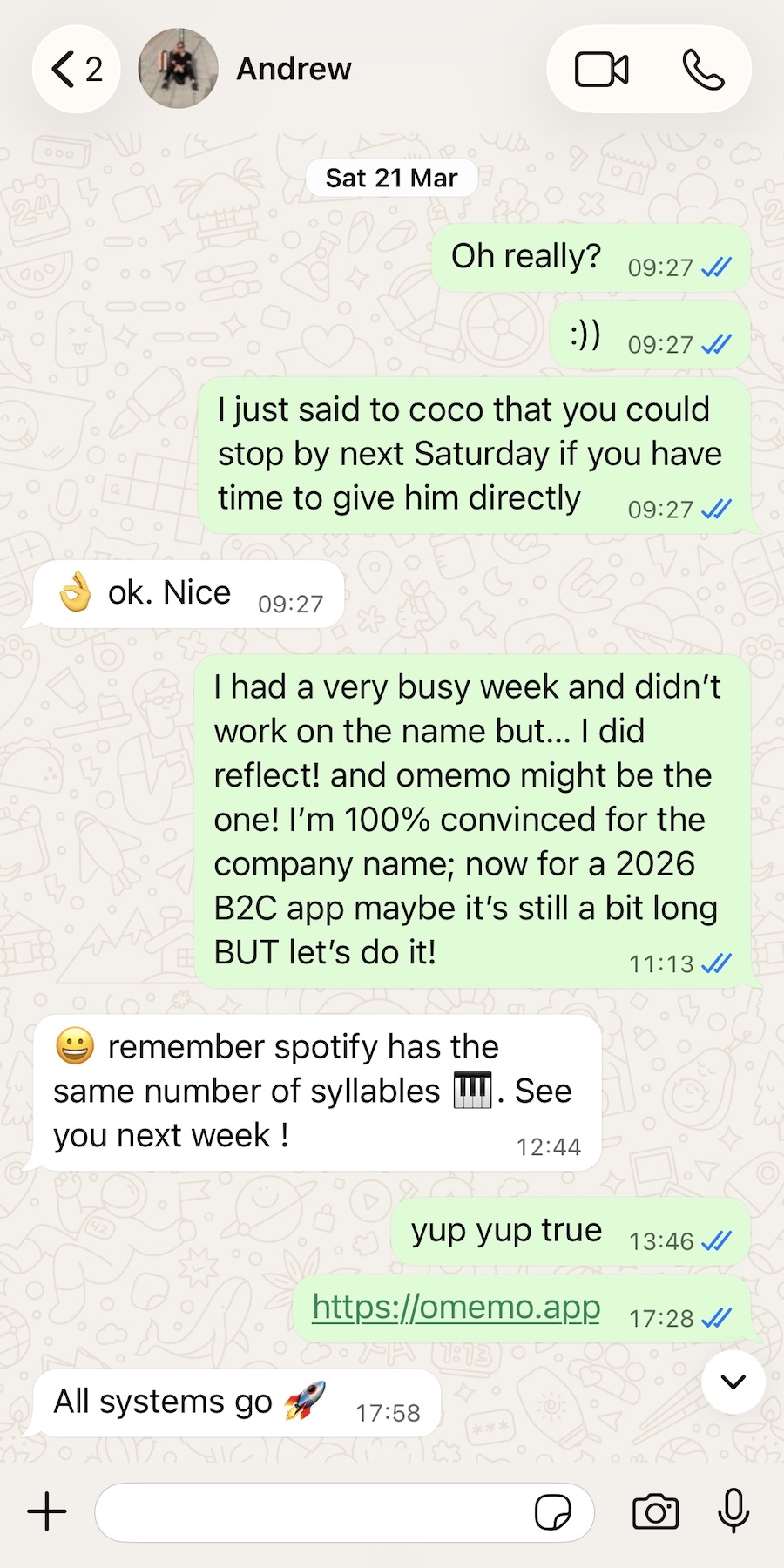
- 01A chat screenshot is buried in interface bubbles. omemo finds the actual message thread and rebuilds it as readable, searchable text.
- 02The sender, the date and the key points come back with the card, so nothing gets lost behind a contact name.
- 03If the chat settles on a date, a time or a place, omemo spots the plan and offers to save it to your calendar or reminders.
- 04You can search by what was said, not by who said it or when the chat happened.

The plan is in the chat. The chat is in a screenshot.
The address, the time, the link — it all arrived in a conversation. You screenshot it so you won't lose it.
Then the screenshot does what screenshots do: it sinks into the camera roll, between a receipt and a meme, and the plan with it.
The conversation, back as words you can search
omemo rebuilds the thread as a clean, readable transcript, with each speaker labelled — so a wall of bubbles becomes a conversation you can actually read.
It recognizes WhatsApp properly and keeps the contact's name with the card, so nothing gets lost behind an anonymous bubble.
When the chat settles on a date, a time or a place, omemo spots the plan and offers to save it to your calendar or reminders.
And everything is searchable by what was said — not by who said it or when the chat happened.
WhatsApp screenshots, answered.
Have hundreds of screenshots, not just chats?
See how omemo works as an automatic screenshot organizer for iPhone.
Related guide: How to find where a screenshot came from and get back to what you saved
Other screenshots people save